

SEO for learning products
SEO for learning products makes an educational product findable and understandable to everyone who might choose it: the learner, the parent or teacher who recommends it, and the school, university or company that buys it.
Contents
- What SEO for learning products covers
- Product keywords and category keywords
- SEO for edtech, learning apps, educational websites and course creators
- Long-tail intent: the searches that convert
- Structure product pages so they can be understood in one read
- Don’t gate what should be found
- Technical accessibility and crawlability
- Natural language and rich content
- Mobile first, because learners are on phones
- Frequently asked questions
What SEO for learning products covers
Learning products are the things people learn with: edtech platforms, learning apps, online courses, tutoring services, educational websites and resource libraries. SEO for them means being found by the right searcher, and being understood in the few seconds that searcher gives a page.
The difficulty is that there is rarely one searcher. The person who uses a learning product is often not the person who buys it. Depending on the product, the searcher might be:
- a student or professional learner looking for help with a subject or skill
- a parent choosing something for a child
- a teacher or lecturer looking for a resource to use in class
- a school, university or training organization evaluating software
- an individual buyer comparing courses
- an edtech decision-maker, IT lead or procurement team checking compliance
Each arrives with different words and a different question. A product site that speaks to only one of them loses the others.
Product keywords and category keywords
Product-specific keywords
These describe the product from the searcher’s side. Build the list from the product outwards:
- what the product is: an app, a course, a platform, a tutoring service
- the educational problem it solves: falling behind in maths, passing a certification, onboarding staff
- the subject or skill
- the learning format: self-paced, live, cohort-based, bite-sized, gamified
- the audience and level: primary pupils, adult beginners, university students
- the use case: homework help, exam revision, classroom practice, CPD
- the outcome: fluency, a qualification, a grade, a job
Category keywords
Category searches, “language learning apps”, “online tutoring platforms”, “learning management system”, “online courses”, “educational software”, “study tools”, “educational resources”, happen before someone knows your name. They are competitive and often dominated by review sites and marketplaces, but they are how new customers first meet a category.
The two work together. A category page earns a place in the comparison; product and feature pages answer the specific searches that follow once a buyer knows what they need. Most learning product sites have a homepage and a pricing page and nothing in between.
SEO for edtech, learning apps, educational websites and course creators
A company selling software to schools and a solo creator selling a course face different searches, so each has its own page. Choose the one closest to your product.
 SEO for edtechIncrease usage of digital tools and software: show your apps and products with clear on-page SEO and combine with demos.
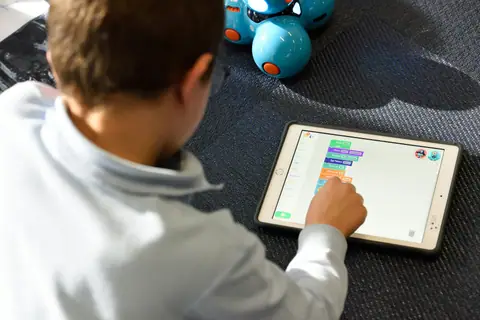 SEO for learning appsCompete with the most popular apps by doubling down on your niche: position yourself as the #1 choice with good keyword research.
 SEO for educational websitesProvide the tools, courses and resources: create SEO-optimized category pages to have everything in one place.
 SEO for course creatorsCombine SEO with AI visibility: build on evergreen content to boost your SEO and direct your audience to your social channels.
Long-tail intent: the searches that convert
Specific searches are smaller, less contested and closer to a decision. For a learning product, specificity usually comes from one of these:
- Audience: “reading app for dyslexic children”
- Subject: “organic chemistry course online”
- Problem: “how to stop forgetting vocabulary”
- Feature: “quiz maker with Google Classroom integration”
- Use case: “revision app for GCSE biology”
- Level: “Spanish for complete beginners”
- Format: “live online coding bootcamp, part-time”
- Location: “online tutoring in Ireland”
- Price: “free LMS for small schools”
- Comparison and alternatives: “[product] vs [product]”, “[product] alternatives”
Not every combination deserves its own page. A page earns its place when it has a distinct, useful answer. Thousands of templated near-duplicates are the fastest way to make a whole site look thin.
Structure product pages so they can be understood in one read
Google, AI tools like ChatGPT and Perplexity, and busy buyers all need the same things, in roughly the same order. A product page should make these clear in text, not only in a demo video or a screenshot:
- what the product is
- who it is for
- what problem it solves
- how it works
- what subjects or topics it covers
- what makes it different from the alternatives
- how much it costs, or how pricing works
- how to get started
Answering these plainly is also what lets ChatGPT, Claude or Gemini include the product when someone asks for options that meet a set of needs.
Don’t gate what should be found
Forms, login walls, pop-ups, app-only content and gated downloads all have their place. But content behind them cannot be crawled, cannot rank and cannot be quoted. If the curriculum, the feature list or the pricing model only exists after sign-up, it does not exist for search.
Gate the asset, not the answer. Publish a readable summary of the whitepaper, the full syllabus of the course, and the product’s capabilities on open pages, then ask for details when someone wants more. Keep interstitial pop-ups off the first screen on mobile.
Technical accessibility and crawlability
Learning products are often built as web apps, and marketing pages inherit the app’s technology. That is where most technical SEO problems in this sector come from.
- Crawlable content: important text in the HTML, not injected after load or hidden in tabs that never render.
- Indexable pages: no stray noindex tags, and nothing important blocked in robots.txt.
- A logical architecture: categories, subjects, levels and features in a hierarchy a person could draw.
- Clean URLs, without session IDs or tracking parameters creating duplicates.
- Internal links from category pages to product pages and back, with descriptive anchor text.
- Canonical tags for course variants, locales and filtered listings.
- JavaScript rendering: server-render or prerender marketing and course pages rather than relying on search engines to run the app.
- Mobile usability and page performance, measured on real devices.
- Structured data where it is true: Course, SoftwareApplication, Product, FAQPage, VideoObject. Review markup only for genuine reviews.
Natural language and rich content
Educational products are easier to show than to describe, so show them: examples, screenshots, short demonstrations, videos, FAQs, comparisons, use cases, templates, guides, data and original research. Write the surrounding text the way a teacher or learner would explain the product to a colleague.
The goal is a page that answers the question completely, not a longer page. A guide that solves the problem the searcher came with earns links and trust; one padded to a word count earns neither.
Mobile first, because learners are on phones
Students, parents and individual learners do much of their searching on phones, often in short gaps between other things. The mobile page is the page.
- Responsive layouts that keep tables, pricing and comparison grids usable on a small screen.
- Readable type at default zoom, with enough contrast outdoors.
- Navigation that reaches courses, pricing and sign-up in two taps.
- Fast-loading pages, with heavy demo media loaded only when asked for.
- Interactive elements, quizzes, previews, sliders, that work by touch and by keyboard, and announce themselves to screen readers.
- One clear call to action per screen: download the app, start the course, or book a demo.
Frequently asked questions
- What counts as a learning product?
- Anything people learn with or buy to teach with: platforms, apps, online courses, educational websites, tutoring services and resource libraries, sold to individuals or institutions.
- Should we target learners or buyers first?
- Whoever decides the purchase. For consumer apps that is the learner or parent; for school and university software it is the buyer. Most products need both, on separate pages.
- Is app store optimization part of SEO?
- It is related but separate. A web page for the app still matters, because many searches start in a browser and ChatGPT, Gemini and Perplexity read the open web.
- How soon can a new product page rank?
- Specific, low-competition searches on an established site can show results within weeks. Category terms take longer and depend on authority, so new sites should start specific.
Book a consultation
30 minutes, no deck. Bring the site and the problem as you see it. If search is not your constraint, I will say so on the call.